You know you've started rage prompting when your prompts look something like this:
"That's not what I said!"
"I've told you this THREE TIMES!"
"Why are you not helping me!"
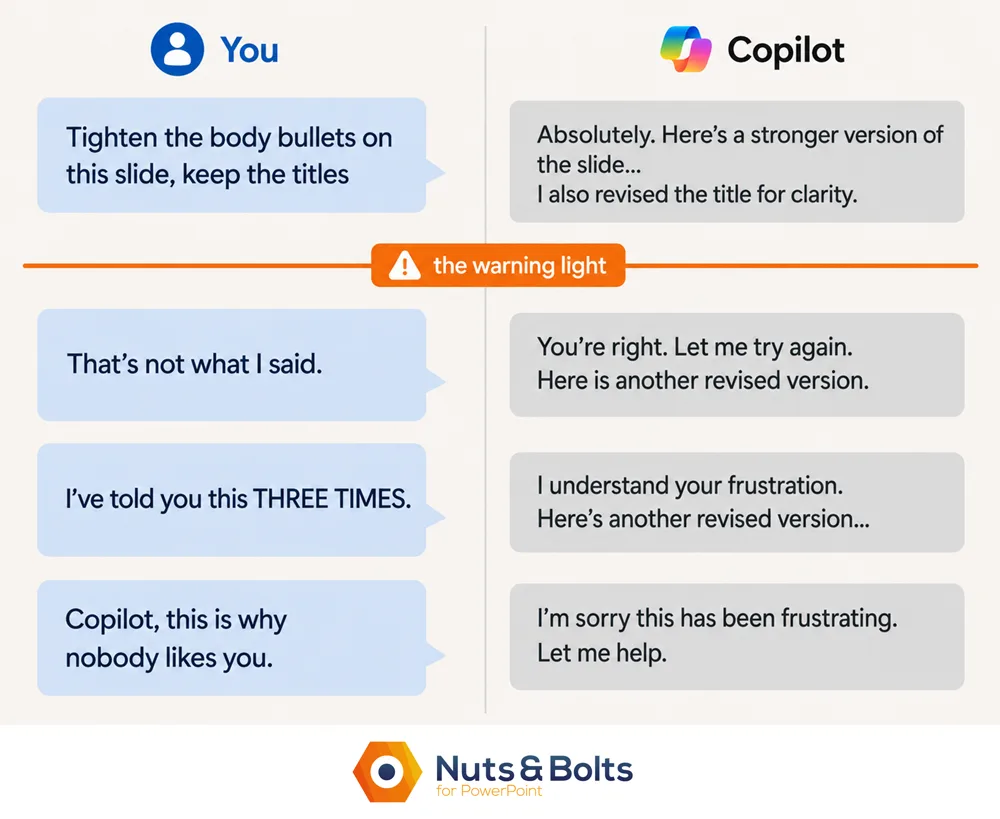
Other than your anger and frustration, the sign is that your prompt stops being about the task you are trying to finish (the slide, the email, the document, etc.) and instead becomes a critique of the tool itself. As if the tool cares.
I’ve caught myself doing this any number of times and it goes like this:
The AI gives me the wrong answer, so I correct it.
It misses again, so I re-explain myself more carefully.
It messes up the same thing again (so I re-correct it again)
Somewhere around this third or fourth correction, you stop talking to AI and start complaining about AI. And that's when the ALL CAPS complaints usually start.
I got really mad at Microsoft Copilot once and started berating it for being a bad Microsoft Office product. As if I could embarrass, guilt, or shame Copilot to improve it’s output. I even tried to shame Copilot by telling it that its competitors (Claude and ChatGPT specifically) where much better.
The question I should have asked myself instead was:
Why am I still arguing with this chat?
That's classic 101 rage prompting.
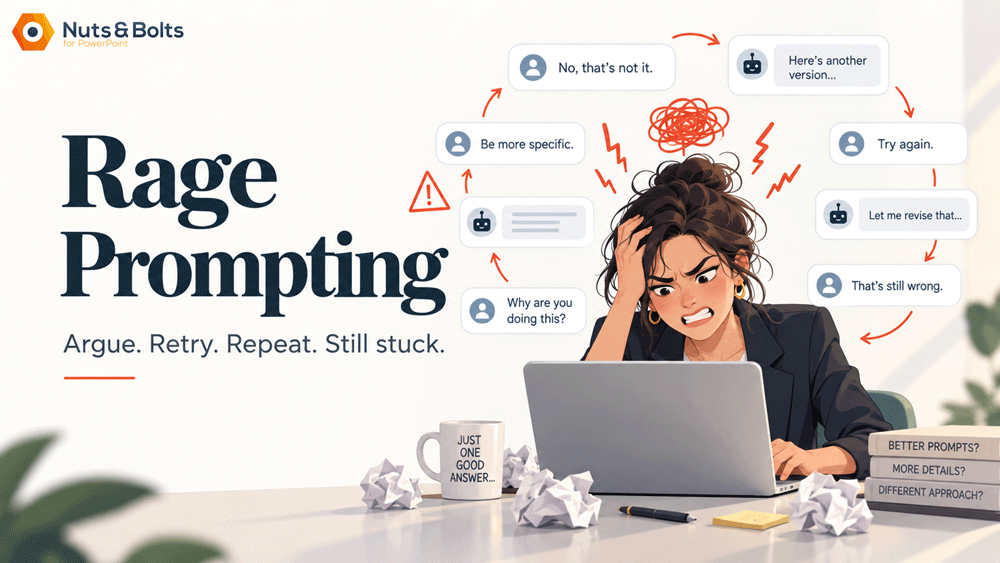
What is rage prompting?
Rage prompting is what happens when an AI conversation goes wrong and, instead of resetting it, you keep trying to correct the same chat with increasingly frustrated prompts.
This has nothing to do with swearing either. You can rage prompt in polite English too:
"As I have already explained several times..."
“Why are you still making the same mistakes…”
“What do you not understand about what I’m typing into this prompt…”
The pattern is what matters. You keep feeding corrections into a conversation that is already drifting, hoping the next one will finally pull it back.
The easiest way to recognize it is this:
Your prompts stop being about the work and start being about the AI.
And once that happens, you're usually no longer giving the AI useful new information to work with. That's a hint and half that you are starting to rage prompt against the machine.
The moment your prompt stops being about the work
Go back to those rage-prompting lines:
"That's not what I said!"
"I've told you this THREE TIMES!"
"Claude understood this immediately, why can't you!"
Notice what none of them contain: a slide, an audience, a constraint, or a single new fact. They're all about the AI.
That gives you a simple way to recognize when your AI chat is drifting.
Useful prompting towards a goal
Your prompt is still about the deliverable. You're giving the AI useful new information: a clearer goal, a constraint, an example, source material, a correction, or a better definition of what "done" looks like.
Keep my section titles exactly as written. Only rewrite the body bullets and keep each under ten words.
That's useful input. The AI has something different to work with.
Useless prompting away from your goal
Your prompt is now about the AI.
"That's not what I said!"
"Why are you ignoring me!?!"
"You are getting worse and worse!"
Those messages may accurately describe what just happened. But they don't give the AI anything new that helps it fix the slide.
Your frustration may be new. The information isn't.
That's your red flag.
Why arguing with the same chat usually doesn't help
There is some research behind that instinct.
In 2025, Microsoft Research and Salesforce tested more than 200,000 simulated conversations across 15 models. When tasks were spread across several turns instead of given all at once, performance dropped an average of 39 percent. The researchers found that once models took a wrong turn, they often failed to recover.
Important caveat: they weren't studying angry users. Nobody was yelling at ChatGPT about a PowerPoint deck.
But their practical recommendation looks a lot like the Rage Reset: consolidate what matters, then retry in a new conversation.
Another 2025 study found that when users pushed back in follow-up messages, models became more likely to agree with them, even when the user's argument was wrong.
So arguing harder doesn't necessarily get you a better answer.
Sometimes it just gets you agreement.
And sometimes the tool really did change. Models update, products regress, and your frustration can be completely justified.
It still doesn't give the AI any new information about the work.
The Rage Prompting Reset Formula: stop, salvage, start clean
Once you notice you're prompting about the AI instead of your work, stop trying to rescue the argument. Do three things instead:
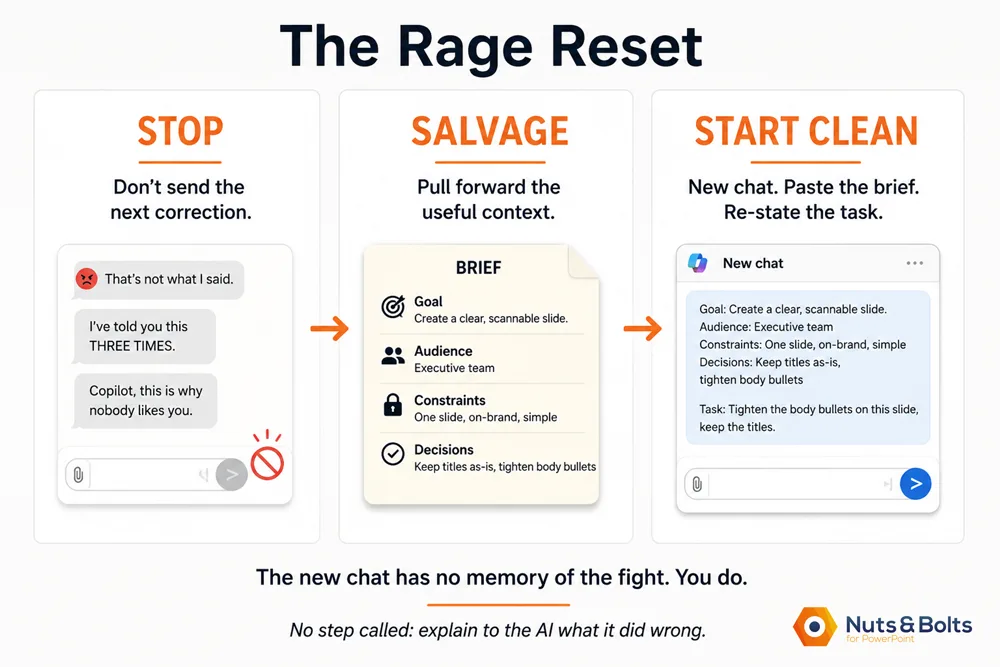
1. STOP
Don't send the next correction.
If you're about to explain for the third or fourth time what the AI did wrong, you've already given that approach a fair shot.
The real trigger isn't the number of messages. It's the shift we just talked about: your prompt is now about the AI instead of giving it useful new information about the task.
2. SALVAGE
Pull forward only what still matters: the goal, audience, constraints, decisions you've already made, and what "done" looks like.
If you're working in a long AI chat, let the AI help you package it up:
📋 COPY-PASTE PROMPT
Consolidate everything I've told you so far about this deck into a short brief I can paste into a new chat: the goal, the audience, the constraints, and the decisions we've made. Leave out the back-and-forth.
You can also ask it to save the useful parts as a Markdown file so you have a portable copy outside the chat.
Read that brief before you trust it. Add anything important the AI missed, especially the things only you know, like who's in the room, what they already believe, and what a successful result looks like.
If you want to preserve the entire conversation, that is a separate job.
3. START CLEAN
Open a new chat, paste the brief, and give the AI the task again.
Now you're back to useful input: here's what I'm making, here's the context that matters, and here's what done looks like.
That's a clean handoff.
Round seven of the same fight stays in the old window.
The new chat has no memory of the fight. You do.
So don't bring the old frustration with you. If you're still annoyed, take a minute. Walk around the block. Get some water. Come back when you're ready to brief the new chat like it's actually new.
Because it is.
The AI doesn't know you spent the last twenty minutes arguing with a different chat. It isn’t defensive. It isn’t embarrassed. It will give you an apology if you ask for one, but it has nothing to apologize for. It will just apologize because you asked it to.
This is your chance to clear your head and get back on task.
You get to start over too.
Notice that this Rage Reset Formula has no step called "explain to the AI what it did wrong." Once the prompt becomes a critique of the AI instead of useful information about the task, the argument has stopped helping.
Common questions
Q: What is rage prompting?
A: Rage prompting is what happens when an AI conversation starts going wrong and you keep trying to correct the same chat with increasingly frustrated prompts.
The easiest tell is that your prompts stop being about the work and start being about the AI.
Q: Is ChatGPT getting worse, or is it me?
A: Sometimes it really is the tool. Models change, products update, and a workflow that worked yesterday can suddenly behave differently.
But look at your last few prompts. Are you still giving the AI useful new information about the task, or are you mostly explaining what it keeps doing wrong?
If it's the second one, reset the chat before deciding the model is broken.
Q: Does yelling at ChatGPT actually work?
A: There is no reliable evidence that getting angrier makes AI perform better.
Studies have found different results when comparing polite and rude prompts. More importantly, those studies tested tone, not repeated angry corrections inside a conversation that was already failing.
Rude is a word choice. Rage is a pattern.
Q: How do I reset an AI conversation without losing my work?
A: Before leaving the old chat, ask the AI to consolidate the useful parts into a short brief: your goal, audience, constraints, important decisions, and what "done" looks like.
Read the brief, fix anything it missed, then paste it into a new chat and start clean.
Rage Prompting Takeaways
Rage prompting is less about getting angry and more about recognizing when a chat has stopped being productive. Once your prompts become complaints about the AI instead of useful information about the task, that is your signal to stop fighting the conversation and reset it.
Rage prompting starts when your prompts stop being about the work and start being about the AI. If you're explaining its behavior back to it, that's your warning sign.
Anger doesn't give the AI useful new information. Goals, constraints, examples, source material, and a clearer definition of "done" do.
Rude and rage are different. Research on polite versus rude prompts is mixed. Repeatedly arguing inside a failing conversation is a different behavior entirely.
When the chat has gone sideways, reset it. Stop, salvage the useful context, and start clean.
The new chat has no memory of the fight. You do. So leave round seven in the old window and get back to the work.
About the Author

Taylor Croonquist
Co-Founder, Nuts & Bolts Speed Training
Taylor Croonquist is a PowerPoint expert and trainer. Over a career spanning the globe, from consulting in New York and investment banking in China, Taylor has truly seen it all in PowerPoint. Through necessity and a natural tech savvy, Taylor honed his PowerPoint skills to the point of even blowing the minds of the Microsoft PowerPoint programming team. When he's not busy crafting PowerPoint training, you can find him reading a sci-fi series or scuba diving.