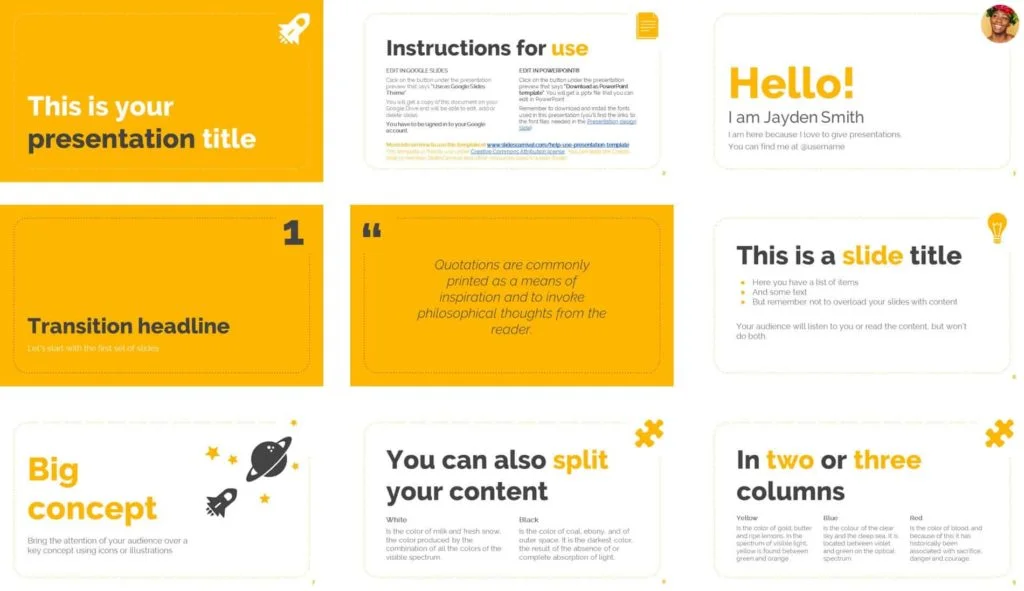
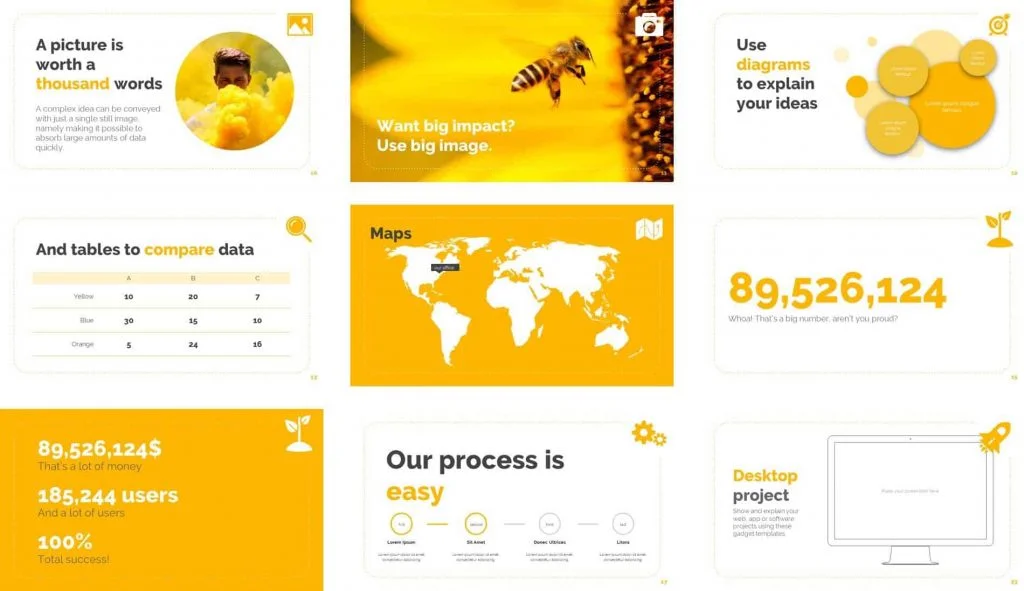
The Olivia template by Slides Carnival is a bright and fun template that allows you to showcase your brand colors well, especially if you have an existing color scheme.
We also like that its design is centered around icons, rather than pictures, keeping it flexible and sleek at the same time.
This means that the template can easily be used to create a wide range of different presentations from it, whether you are using Microsoft PowerPoint or Google Slides.
 Check out the Olivia Presentation Template by SlidesCarnival.
Warning: Keep in mind that this template was not created using the PowerPoint Slide Master, so it’s technically what we call a fake PowerPoint template and should be used more as inspiration for slide design, or for one-off presentations.
If you are looking for a template that you and your team can use, we recommend investing in a more professional PowerPoint template like the Reem template by SlideCow or the Unleash template by inspiradesign.
How to best use the Olivia template
We recommend you use this template for presentations used in small settings, such as webinars, or in larger live presentations.
That’s because the slides are fairly sparse and minimalist and it will be hard to fit a lot of content onto the slides without ruining the layout.
Olivia template example slides:
You can click the slides below to learn more about them on the SlidesCarnival website.
You can download Slides Carnival’s free Olivia Presentation templates here.
PowerPoint templates reviewed
If you’d like to see a review and preview of the Olivia template (and other PowerPoint templates Camille recommends checking out), click play to watch the short video below.
Best PowerPoint Templates: The Olivia template is one of our favorite PowerPoint templates that you can find online (and it’s free).
To see which other templates we recommend (and why we like them), see our guide here.
About the Author

Camille Holden
Co-Founder, Nuts & Bolts Speed Training
Camille Holden is a PowerPoint expert, a trainer and a presentation designer. After years working in the trenches, fine-tuning hundreds of her colleagues' last minute panic-attack presentations, Camille cultivated her PowerPoint skills through tricks, work-arounds, and fine-tuned techniques for getting more done. When she's not helping clients build gorgeous and functional presentations, you can find her singing jazz or doing yoga.