The Unleash PowerPoint Template by inspiradesign is a premium, 50-slide business presentation template available on Envato Elements. It is designed specifically for Slidedocs and document-style presentations, featuring customizable native PowerPoint graphics, drag-and-drop picture placeholders, and advanced Morph transitions.
The Unleash template is one of our favorite PowerPoint templates you will find online. To see which other templates we recommend (and why we like them), read our guide here.
For this review, our presentation design experts downloaded and tested the Unleash template directly in PowerPoint 365. We evaluated its ease of use, animation stability, and customization capabilities by modifying the master slides and testing the Morph transitions firsthand.
This post contains some affiliate links. That means that if you buy this template by inspiradesign, we may make a small commission (which we are very grateful for) at no extra cost to you.
Pros and cons
Based on our review, the primary advantages of the Unleash template include its highly customizable theme colors, 50 unique slide layouts, and fully editable native PowerPoint graphics. However, the main disadvantage is its heavy reliance on the Morph transition, which requires a modern Office 365 subscription and can break if slide orders are changed.
What is in the Unleash Template?

The Unleash Template by inspiradesign includes:
50 unique slides and hundreds of editable icons
All graphics are resizable and editable
Picture placeholders, drag & drop
Dark & light backgrounds and 3 pre-built color themes to choose from
This template has built-in animations and Morph transitions (see how to use it here). Many of the Morph transitions don't work very well and they can break further if you move slides around and/or change the content. On top of that, if you don’t have the latest version of PowerPoint (a Microsoft 365 subscription), these transitions won’t work for you.
If you want to remove all animations and transitions in a document quickly, I highly recommend the free PowerPoint add-in called BrightSlide, which can do it for you with just the click of a button.
We love the Unleash template by inspiradesign on Envato Elements because it’s a powerful template with 50 beautiful and useful slides for any business presentation. What’s cool about it is that it’s also animated with flair.
Also, all the elements are colored using the template’s theme, meaning that you can easily switch to any colors you choose, including your own custom color palette.
Please note that some of the color combinations (we're looking at you small white text on sour apple green!) do not meet Accessibility standards. You'll want to change the color palette to ensure all content is legible.
As with other templates in our reviews, almost all of the elements (including the infographics) are built directly within PowerPoint, meaning that you can easily adjust and customize them.
How should this template be used?
This professional template is quite versatile and contains slides for most types of situations.
That said, this template is best for presentations that you plan to use as documents, or Slidedocs as Nancy Duarte calls them. These are documents (built in PowerPoint) that are meant to be emailed, printed, and/or used as collateral, projected in front of an audience.
This template is built properly on the Slide Master. However, it only sets the title placeholder and image placeholders. For all other text on the slides, those are added manually in the Normal View. What that means is simply that resetting the slide layout won't fix positional and formatting issues for text (other than titles); you'll need to adjust those yourself.
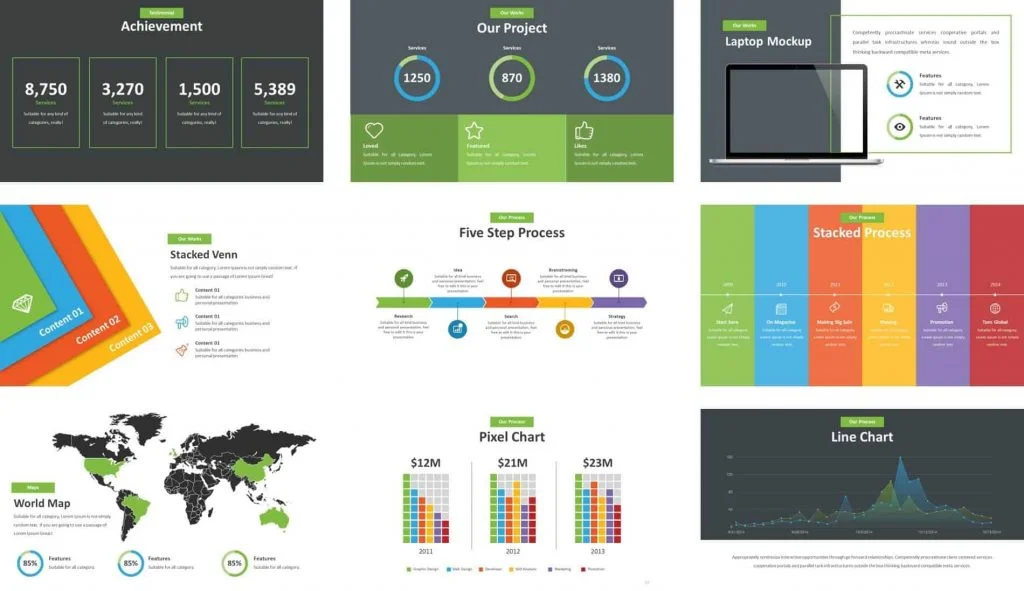
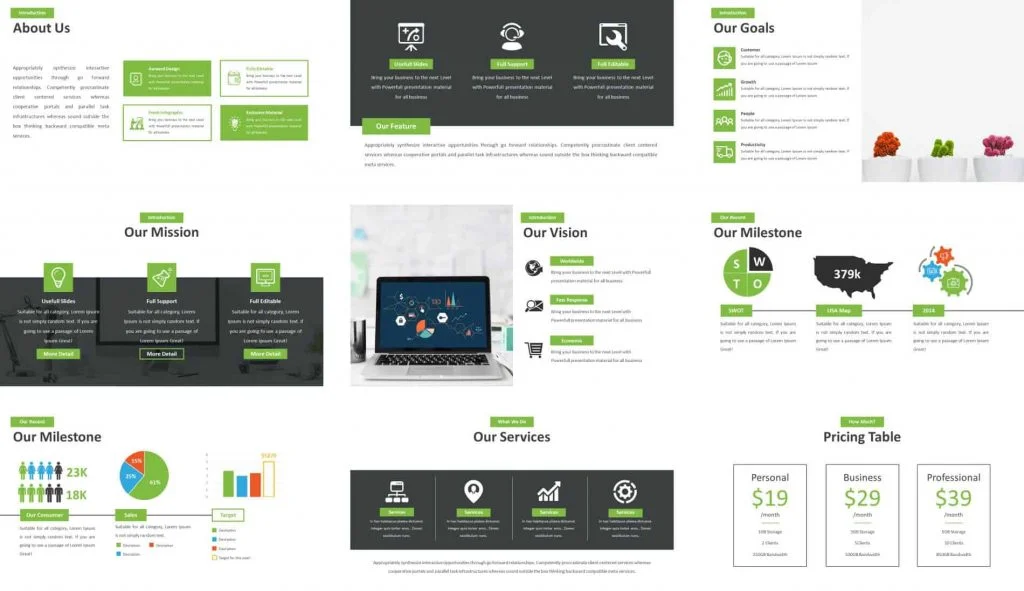
Example slides from the Unleash template
Click the pictures below to see a few examples of the types of slides you'll find in this template.
Ready to start using it? Download the Unleash Template by inspiradesign and give it a whirl.
Other PowerPoint template reviews
If you’d like to see a preview, as well as Camille’s review, of the Unleash template, watch the video below.
To see a full list of the best places to find PowerPoint templates online (that we recommend), read our article here.
About the Author

Camille Holden
Co-Founder, Nuts & Bolts Speed Training
Camille Holden is a PowerPoint expert, a trainer and a presentation designer. After years working in the trenches, fine-tuning hundreds of her colleagues' last minute panic-attack presentations, Camille cultivated her PowerPoint skills through tricks, work-arounds, and fine-tuned techniques for getting more done. When she's not helping clients build gorgeous and functional presentations, you can find her singing jazz or doing yoga.