Animations often take a long time to think through and design, since they’re a creative labor of love (but well worth it, if you do them right!).
So if you have yet to discover the Animation Painter, it's going to blow your mind. It's one of those PowerPoint features that quietly saves you a crazy amount of time once you know it exists — and almost nobody does.
The best PowerPoint shortcut for animations
As a presentation designer who has built hundreds of professional slide decks, I have found that mastering native keyboard shortcuts is the single most effective way to cut your presentation design time in half.
And the best PowerPoint animation shortcut is the Animation Painter, which allows you to copy and paste animations from one object to another. To use the Animation Painter shortcut, select the animated object and press Alt+ Shift + C on your keyboard.
Watch the video below to see exactly how I use the Animation Painter to quickly reuse a set of animations I created for my shapes.
What is the Animation Painter?
The Animation Painter does for animations what the Format Painter does for formatting: it copies the effect from one object and applies it to another, instantly. If an object has a swivel entrance, a spin emphasis, and a fly-out exit all stacked on top of each other, the Animation Painter grabs the whole stack and drops it onto a new object in one click.
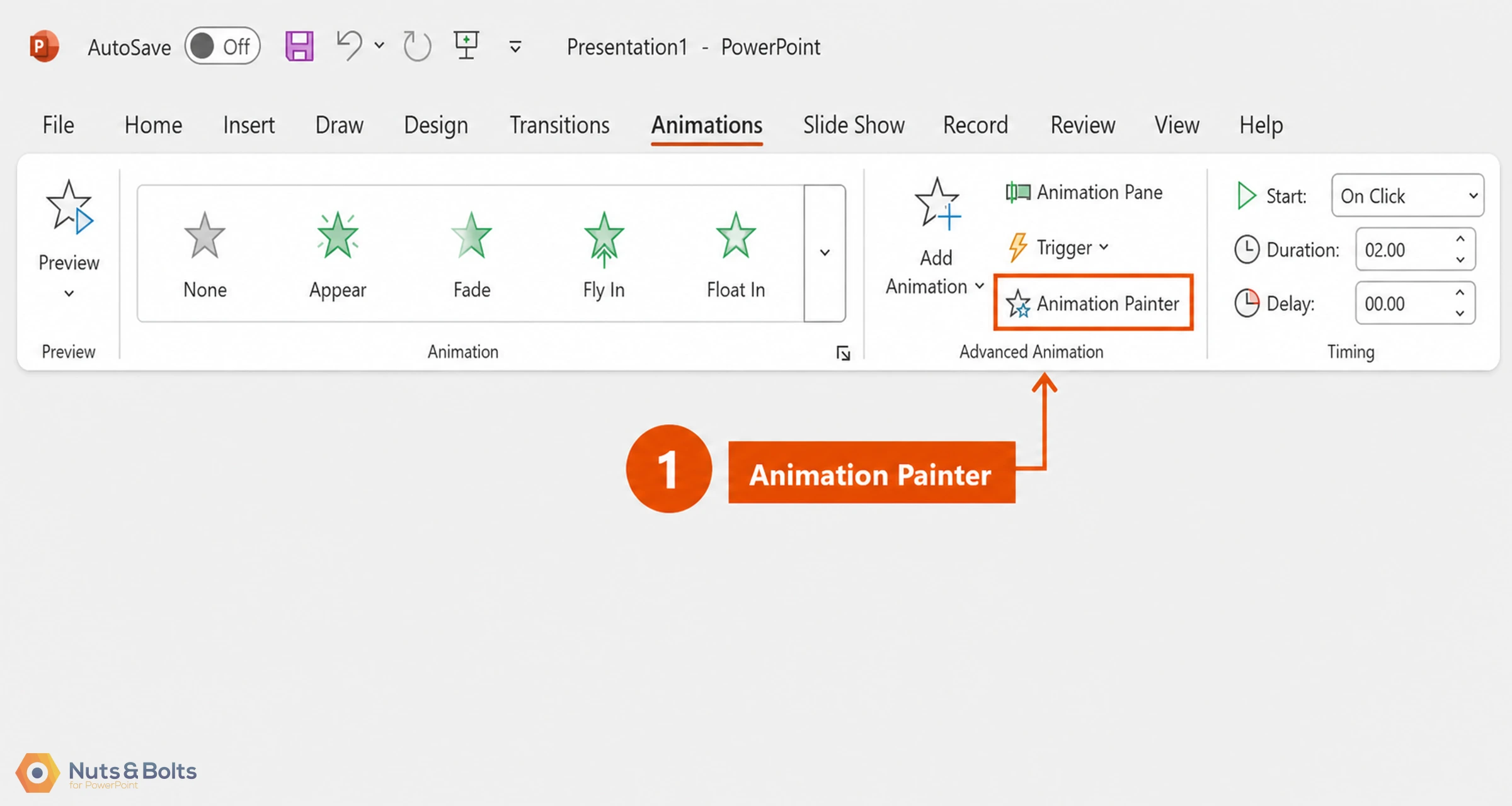
It's been around since PowerPoint 2010, and you'll normally find it on the Animations tab, in the Advanced Animation group, sitting right next to Add Animation. That's the "official" way to get to it. It works fine. But it's not the fast way.
How do I use the Animation Painter shortcut?
The fast way is a keyboard shortcut almost nobody uses: Alt+ Shift+ C. Hit that, and the Animation Painter activates immediately — no mousing up to the ribbon required.
Here's what that looks like in practice. Say you've already built a two-part flip effect: a swivel-out on one object reveals a swivel-in on another, and you want to reuse that exact effect on a completely different pair of objects — an apple flipping to reveal an orange, for example.
Instead of rebuilding the animation from scratch, simply:
Click the object with the animation you want to copy
Hit Alt+ Shift+ C . Notice that your cursor turns into a paint brush (just like with the Format Painter).
Click on the object you want to apply the animations to and the full animation stack transfers over. You can keep clicking on objects to continue applying the animations.
When you're done, hit Esc to turn off the Animation Painter.
With this simple shortcut, you've recreated a multi-step effect in a fraction of the time it would've taken to build it by hand.
⚡ Quick Tip The Animation Painter copies every animation on an object, not just one. If an object has three effects stacked on it, all three come along for the ride.
This example was a simple swap, but the more complex your animations get — the more effects stacked, the more objects involved — the more time this shortcut saves you.
Once Alt+ Shift + C is muscle memory, you'll wonder how you ever animated without it.
If you want to copy-paste formatting from one object to another, you can use the Format Painter or its sister shortcuts, Ctrl + Shift + C and Ctrl + Shift+ V . Learn more about how those work here.
In summary
Key Takeaway: You can duplicate complex slide animations instantly by selecting your animated object, pressing Alt+ Shift + C , and clicking your target object. This keyboard shortcut works in all PowerPoint versions from 2010 onwards and is significantly faster than navigating the ribbon menu.
About the Author

Spicy Presentations
Yulia Barnakova is passionate about helping people develop the skills and learning mindset to thrive in the digital age. She is always experimenting with emerging technologies and has been recognized by Microsoft as a Most Valuable Professional for her creative presentation technology tutorials, which have more than 8 million views on YouTube. Her recent TEDx Talk, Think You're Not Tech Savvy? Here's Why You Are, shows how everyone can (and must) develop the mindset and skill set to embrace technology.