In this post you’ll learn 17 different ways for how to end a presentation that you can test out.
Why worry about the ending?
Because how you end your presentation is just as important as how you start your presentation (details here).
If you start strong but flounder at the end of your presentation, what feeling are people going to be walking away with?
Not a good one, that’s for sure! That's why the ending of your presentation is so important.
1. Call to action
 What’s the point of giving a presentation?
To share important information, yes. But you also want people to DO something with that information.
And in order to do that, you need to end your presentation with a clear call to action. Something which motivates, empowers and inspires your audience.
Make even more of an impact by starting your presentation with a negative motivation, something shocking perhaps, about how bad things could be if they don’t take action. Then, end it on a positive motivation, showing how great things could be if you do take action.
You can also use the design of your PowerPoint slides to highlight this call to action. Here are a few examples of great call to action slides:
What’s the point of giving a presentation?
To share important information, yes. But you also want people to DO something with that information.
And in order to do that, you need to end your presentation with a clear call to action. Something which motivates, empowers and inspires your audience.
Make even more of an impact by starting your presentation with a negative motivation, something shocking perhaps, about how bad things could be if they don’t take action. Then, end it on a positive motivation, showing how great things could be if you do take action.
You can also use the design of your PowerPoint slides to highlight this call to action. Here are a few examples of great call to action slides:



2. at the end of your presentation
 Certainly make ‘question time’ a part of your presentation, but not the end.
Q&A sessions have the tendency to run long, off-topic and have the possibility to turn sour. You want to end on a high-note or at least a note of your choosing.
Not having questions at the end of a presentation means you can stay in control of the mood, what people take away from your presentation, and the timing.
Certainly make ‘question time’ a part of your presentation, but not the end.
Q&A sessions have the tendency to run long, off-topic and have the possibility to turn sour. You want to end on a high-note or at least a note of your choosing.
Not having questions at the end of a presentation means you can stay in control of the mood, what people take away from your presentation, and the timing.
3. End your presentation with a rhetorical Question
 Asking a rhetorical question on the other hand can keep your audience thinking about your presentation long after it’s over. Provocative questions can compound your message, stir emotions, or invite action.
Entrepreneur and CEO Ric Elias gives a great example by ending his talk about his near-death experience with four very powerful and poignant rhetorical questions:
Asking a rhetorical question on the other hand can keep your audience thinking about your presentation long after it’s over. Provocative questions can compound your message, stir emotions, or invite action.
Entrepreneur and CEO Ric Elias gives a great example by ending his talk about his near-death experience with four very powerful and poignant rhetorical questions:
4. Conclude your speech with a story

Storytelling is a powerful presentation tool and is a great way to neatly bookend your presentation (see our storytelling post here).
As you can learn in our post on the best ways to start a presentation (details here), emotional listeners retain more information. An emotional story, whether it’s funny, sad, or thought-provoking, is a sure fire way to engage your audience.
If you can, try to tie the beginning and end together with your stories, like Heather Lanier does here:
You are currently viewing a placeholder content from Default. To access the actual content, click the button below. Please note that doing so will share data with third-party providers.
Unblock content Accept required service and unblock content More Information5. The power of 3 for your conclusion
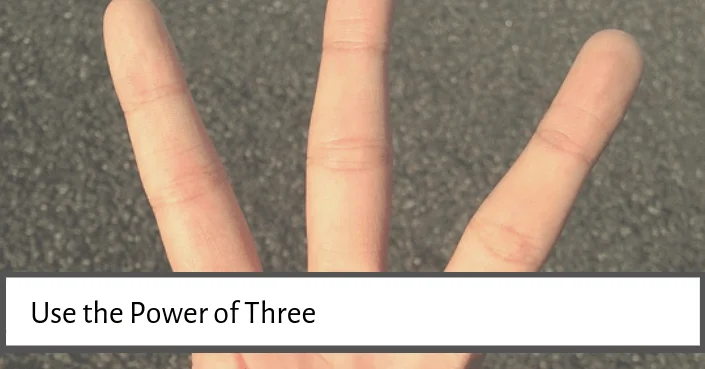 Summaries are essential for info heavy presentations, but they can be super dull!
Use the power of 3 to keep them short, snappy and more importantly, keep them memorable. This is a tried and tested method that has worked throughout the ages.
Here are a few of the most famous examples of the rule of 3:
“This is not the end. It is not even the beginning of the end. But it is, perhaps, the end of the beginning.”
– Winston Churchill
“
Blood, sweat and tears”
– General Patton
“
I came, I saw, I conquered”
– Julius Caesar
“Just Do It”
– Nike slogan
For an example of the power of 3 in action check out this TED talk by Alan Siegel:
Summaries are essential for info heavy presentations, but they can be super dull!
Use the power of 3 to keep them short, snappy and more importantly, keep them memorable. This is a tried and tested method that has worked throughout the ages.
Here are a few of the most famous examples of the rule of 3:
“This is not the end. It is not even the beginning of the end. But it is, perhaps, the end of the beginning.”
– Winston Churchill
“
Blood, sweat and tears”
– General Patton
“
I came, I saw, I conquered”
– Julius Caesar
“Just Do It”
– Nike slogan
For an example of the power of 3 in action check out this TED talk by Alan Siegel:
6. Come full circle at the end of your presentation
 Give your audience a sense of completion by referring to your opening message at the end. It’s a great way to bookend the presentation and is a neat and tidy way to sum up. You can set this up at the beginning of your presentation in a few different ways:
- Pose a question which you answer at the end
- Tell a story and either refer to it or finish it at the end
- Repeat the first slide, this works especially well or quotes
7. Demonstrate your product
 Show don’t tell is a great rule of thumb, as the saying goes ‘actions speak louder than words.’ Ending your presentation with a practical demonstration will not only clarify your message but be memorable for your audience.
It can also be a chance to inject some fun into your presentation, much like Ian Guage did in his talk on the Ig Nobel Awards:
Show don’t tell is a great rule of thumb, as the saying goes ‘actions speak louder than words.’ Ending your presentation with a practical demonstration will not only clarify your message but be memorable for your audience.
It can also be a chance to inject some fun into your presentation, much like Ian Guage did in his talk on the Ig Nobel Awards:
You are currently viewing a placeholder content from Default. To access the actual content, click the button below. Please note that doing so will share data with third-party providers.
Unblock content Accept required service and unblock content More Information8. End with an either / or scenario
 Give your audience a choice at the end of a presentation. This is one way to encourage your audience to continue thinking about your presentation. This can be 'call to action' ending in tip 1.
For example, you can close a presentation by saying something along the lines of,
“We can do
this
, or we can do nothing. The choice is yours.”
Give your audience a choice at the end of a presentation. This is one way to encourage your audience to continue thinking about your presentation. This can be 'call to action' ending in tip 1.
For example, you can close a presentation by saying something along the lines of,
“We can do
this
, or we can do nothing. The choice is yours.”
9. End your presentation on a high note
 Whichever way you choose to end your presentation, end it with energy! If you don’t show any passion or enthusiasm for your topic, then no one else will.
As well as a more energetic ending, try to lift the mood. This can be especially important for those presentations which may tackle a difficult subject or convey some bad news. You don’t want your audience leaving the auditorium thinking, ‘well, that was depressing!’
Even if you do have to give dark data, try to end on a high note and with hope.
Whichever way you choose to end your presentation, end it with energy! If you don’t show any passion or enthusiasm for your topic, then no one else will.
As well as a more energetic ending, try to lift the mood. This can be especially important for those presentations which may tackle a difficult subject or convey some bad news. You don’t want your audience leaving the auditorium thinking, ‘well, that was depressing!’
Even if you do have to give dark data, try to end on a high note and with hope.
10. A sound bite
 A sound bite is like a slogan, a phrase which demands attention. Can you condense your presentation message into a quick and catchy phrase?
If you can fit the central message of your presentation into a few words, they will be memorable and ‘Tweet-able’. Here are a couple of great sound-bite examples for ending presentations:
“Stay hungry, stay foolish.”
– Steve Jobs
“Chance favors the connected mind.”
— Author Steven Johnson
A sound bite is like a slogan, a phrase which demands attention. Can you condense your presentation message into a quick and catchy phrase?
If you can fit the central message of your presentation into a few words, they will be memorable and ‘Tweet-able’. Here are a couple of great sound-bite examples for ending presentations:
“Stay hungry, stay foolish.”
– Steve Jobs
“Chance favors the connected mind.”
— Author Steven Johnson
11. End with a provocative question
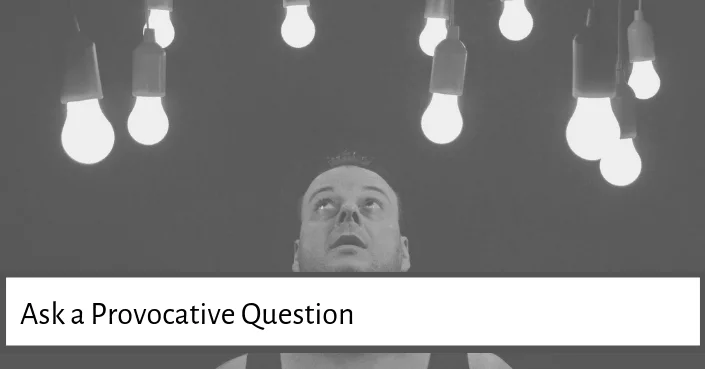 How often have you been sitting in a presentation only to find that you have stopped listening before the end and are now day-dreaming or thinking about lunch?
Make sure your audience is still with you at the end by asking a provocative question. Questions, especially those that jolt us out of our comfort zone, stimulate and challenge our mind.
How often have you been sitting in a presentation only to find that you have stopped listening before the end and are now day-dreaming or thinking about lunch?
Make sure your audience is still with you at the end by asking a provocative question. Questions, especially those that jolt us out of our comfort zone, stimulate and challenge our mind.
12. Use the title close technique
 Another useful technique for how to end a presentation is to use the title of your presentation as the closing words.
This creates a bookend to your entire presentation and can be used to bring your audience full circle. See the tip about coming full circle above.
Another useful technique for how to end a presentation is to use the title of your presentation as the closing words.
This creates a bookend to your entire presentation and can be used to bring your audience full circle. See the tip about coming full circle above.
13. A quick presentation recap
 One method commonly used when giving presentations is the “tell them” method.
This involves stating what you are going to say, saying it and then telling them what you told them.
While this sounds repetitive, you can use it as a general framework for keeping your presentations short and to the point.
That’s because no matter how amazing your presentation has been, you will still need to remind people what you’ve covered. However, try to avoid dull phrases such as “In conclusion” or “To sum up”, you’re not writing an essay!
Instead, instigate your summary with a question, such as “Where is this all leading?” or “What does this all mean?”
Summaries don’t have to be dull. Make use of your PowerPoint to create a final slide that summarizes your main points. You can leave this final slide up on the screen as you make your closing statement.
One method commonly used when giving presentations is the “tell them” method.
This involves stating what you are going to say, saying it and then telling them what you told them.
While this sounds repetitive, you can use it as a general framework for keeping your presentations short and to the point.
That’s because no matter how amazing your presentation has been, you will still need to remind people what you’ve covered. However, try to avoid dull phrases such as “In conclusion” or “To sum up”, you’re not writing an essay!
Instead, instigate your summary with a question, such as “Where is this all leading?” or “What does this all mean?”
Summaries don’t have to be dull. Make use of your PowerPoint to create a final slide that summarizes your main points. You can leave this final slide up on the screen as you make your closing statement.
14. End with a powerful quote
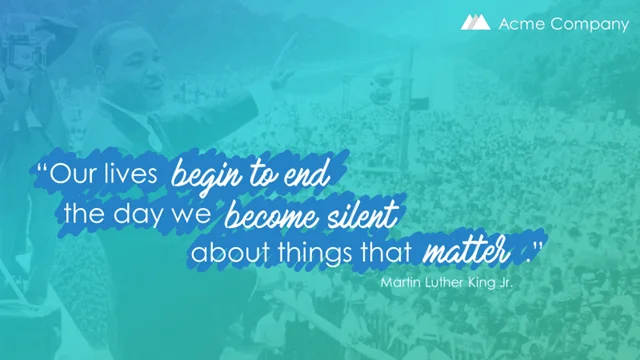
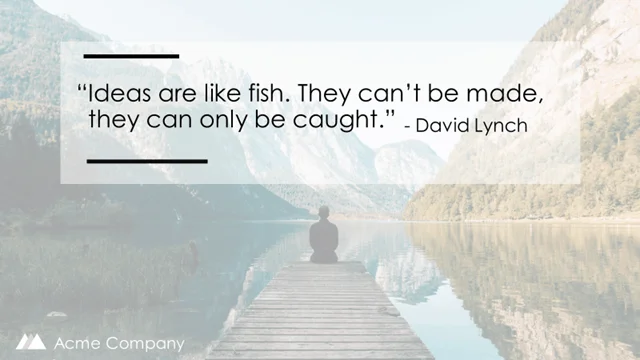
 Sometimes you just can’t improve upon what has already been said before. Using a relevant quote from a historical figure or modern day hero can make your message both credible and memorable.
The key is selecting a good quote, one that isn’t too long-winded, and that sums up your main point of your message.
You can verbally deliver the quote, but it’s also a good idea to have it present visually as the closing slide on your presentation.
Sometimes you just can’t improve upon what has already been said before. Using a relevant quote from a historical figure or modern day hero can make your message both credible and memorable.
The key is selecting a good quote, one that isn’t too long-winded, and that sums up your main point of your message.
You can verbally deliver the quote, but it’s also a good idea to have it present visually as the closing slide on your presentation.
15. End with a strong visual image
 Much of our brain power is dedicated to processing visual images.
Dr. Michio Kaku
, a theoretical physicist says that “It’s by images, pictures, videos that we understand the universe.”
To deliver a powerful message hard and fast, then visuals are key.
They can be to shock, to humor, or as a metaphor to be explained and highlight your message, just like in this TED talk by Barry Schwartz.
Much of our brain power is dedicated to processing visual images.
Dr. Michio Kaku
, a theoretical physicist says that “It’s by images, pictures, videos that we understand the universe.”
To deliver a powerful message hard and fast, then visuals are key.
They can be to shock, to humor, or as a metaphor to be explained and highlight your message, just like in this TED talk by Barry Schwartz.
You are currently viewing a placeholder content from Default. To access the actual content, click the button below. Please note that doing so will share data with third-party providers.
Unblock content Accept required service and unblock content More Information16. Close with a clear cut ending
 This is a must!
There is nothing more uncomfortable than a presenter that doesn’t know how to end and just waffles awkwardly.
The audience is left thinking, ‘Is that it? Do we clap now?’
Make sure you and your audience know when the presentation has reached its final destination. This can be a clear cut, ‘thank you!’, a wave, a bow, but let it be a clear signal this is the end.
This is a must!
There is nothing more uncomfortable than a presenter that doesn’t know how to end and just waffles awkwardly.
The audience is left thinking, ‘Is that it? Do we clap now?’
Make sure you and your audience know when the presentation has reached its final destination. This can be a clear cut, ‘thank you!’, a wave, a bow, but let it be a clear signal this is the end.
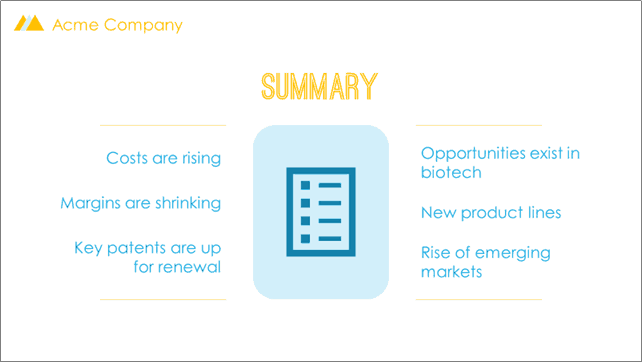
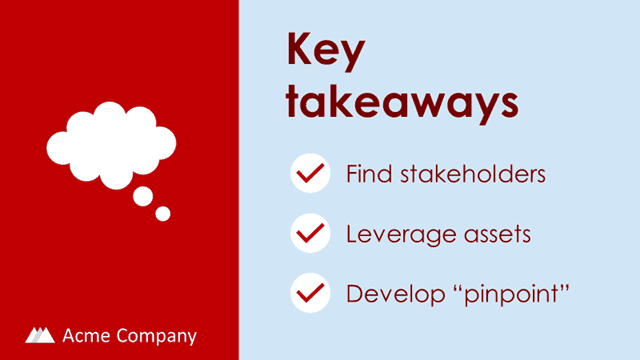
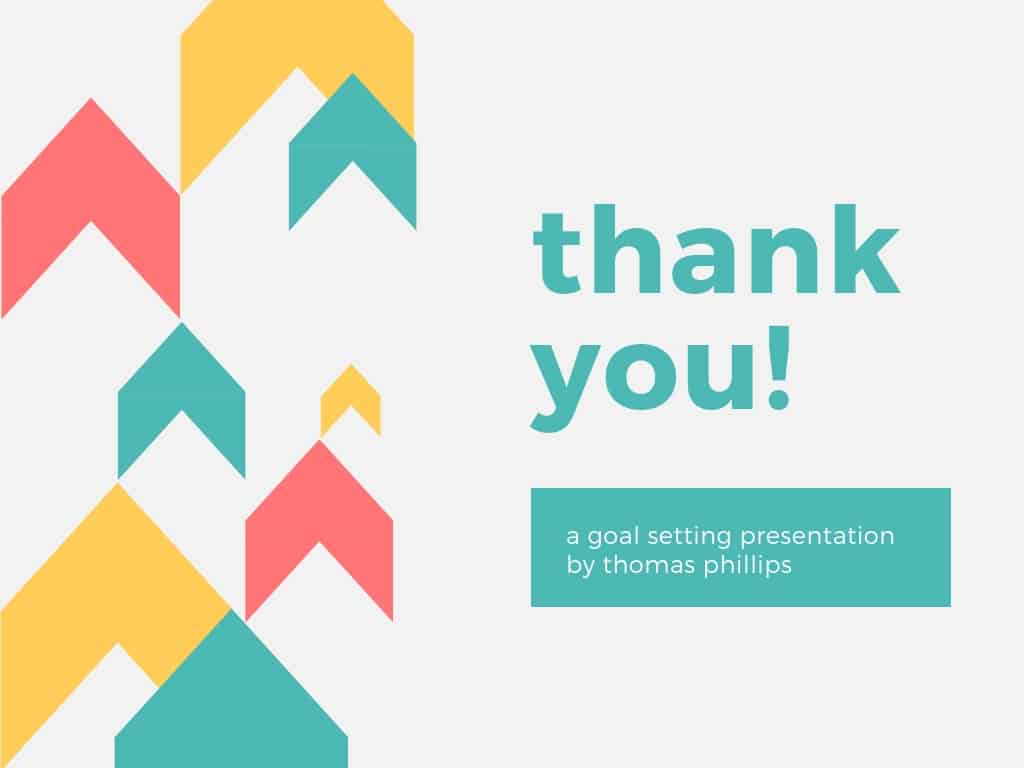 Or it can even be a summary slide that wraps up your talk and leaves your audience with the key takeaways and learning points.
17. End your presentation on time
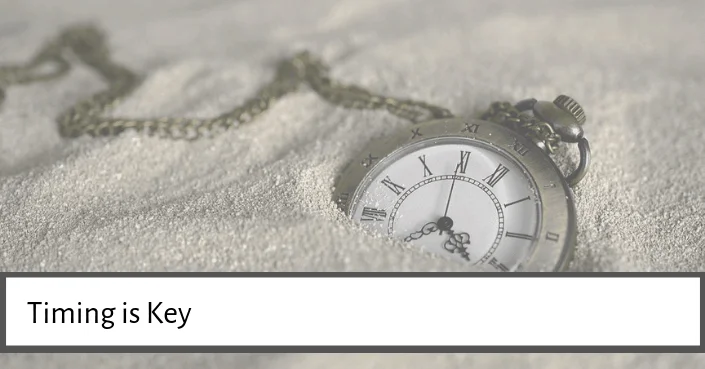 Remember time is precious.
If you want to impress your audience, then end on time, or even better, with a few minutes to spare.
The trick to keeping time is to practice your presentation well in advance, timing yourself each time. Cut out any fluff or filler and stick to what you’ve rehearsed.
Remember time is precious.
If you want to impress your audience, then end on time, or even better, with a few minutes to spare.
The trick to keeping time is to practice your presentation well in advance, timing yourself each time. Cut out any fluff or filler and stick to what you’ve rehearsed.
Conclusion
So those are 17 different techniques for how to end a presentation with a punch. Keep in mind that the beginning and ending of your presentation represent the bookmarks for your entire presentation. They will determine whether people engage early on with your message and whether they leave with a strong and powerful message. That’s why you don’t want to leave the end of your presentation to chance. Test out the different methods we laid out here to find a method that works best for you. To learn more about what we do and find other amazing PowerPoint resources to build your presentations faster than ever before, visit us here .About the Author

Camille Holden
Co-Founder, Nuts & Bolts Speed Training
Camille Holden is a PowerPoint expert, a trainer and a presentation designer. After years working in the trenches, fine-tuning hundreds of her colleagues' last minute panic-attack presentations, Camille cultivated her PowerPoint skills through tricks, work-arounds, and fine-tuned techniques for getting more done. When she's not helping clients build gorgeous and functional presentations, you can find her singing jazz or doing yoga.